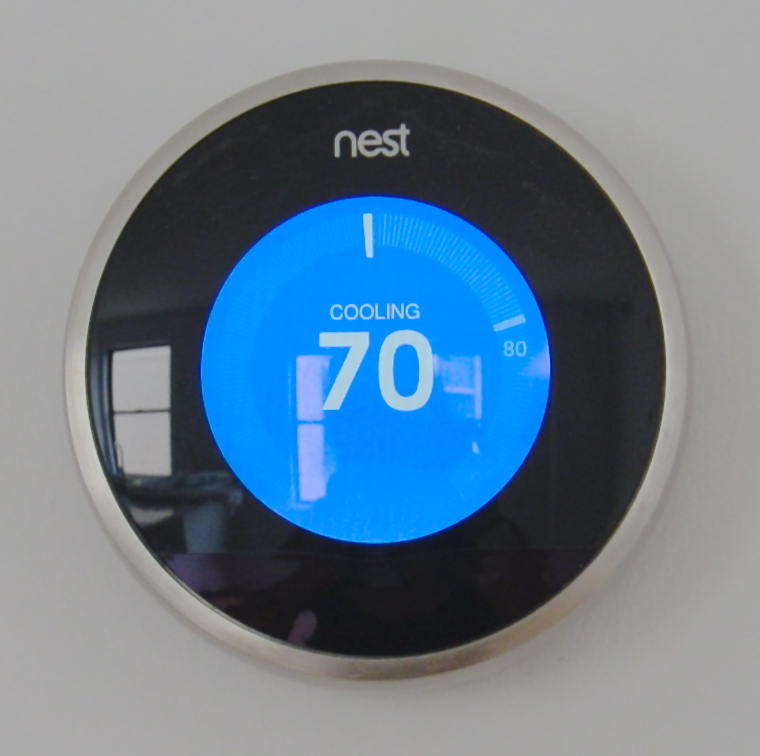
Nest Learning Thermostat — Wikimedia Commons / CC BY-SA
Home automation routines can range from a single timed action — turning off a hallway light at midnight — to multi-step sequences that respond to your location, the time of day, local sunset time, and the state of other devices. This article covers how routines work across major smart home platforms, with specific attention to conditions relevant to Canadian households.
Types of Automation Triggers
Automations typically respond to one of four trigger types, often in combination:
- Time-based: A fixed clock time, or relative to sunrise/sunset.
- Device state: When a sensor detects motion, a door opens, or a device changes state.
- Location: When a phone arrives at or leaves a defined geographic zone.
- Voice command: Triggered manually through a voice assistant.
On most platforms, multiple triggers can be combined with AND/OR logic to create more specific conditions. For example: turn on the porch light when motion is detected AND the time is after sunset.
Sunrise and sunset times vary significantly across Canada's six time zones. Platforms that pull local sunset data typically use the geographic coordinates you set during setup, which affects how time-relative automations behave. Verify the location setting in your home hub configuration.
Lighting Automations
Scheduled Lighting
The simplest and most reliable lighting automation is a fixed schedule: lights turn on at a specific time and turn off at another. For exterior lighting, tying the schedule to sunset rather than a fixed time is more practical — sunset in Vancouver in December is around 4:15 PM, while in July it is after 9 PM.
On Amazon Alexa, this is set through the Alexa app under Routines > Schedule > Sunset offset. Google Home and Apple HomeKit support similar sunset-relative triggers. SmartThings refers to these as "Lighting Director" automations and allows both sunrise and sunset offsets in increments of minutes.
Motion-Triggered Lighting
A motion sensor (typically Zigbee or Z-Wave) placed in a hallway, stairwell, or entryway can trigger lights when motion is detected and turn them off after a defined period of no activity. The no-motion timeout is usually configurable between 1 and 30 minutes depending on the sensor model.
A practical consideration: motion sensors with passive infrared (PIR) detection have difficulty detecting slow movement or stationary occupants. Households that want occupancy-based (rather than motion-based) control typically use millimeter-wave presence sensors, which have wider availability as of mid-2026 but at higher price points.
Thermostat Automations
Smart thermostats from Ecobee and Google Nest are both widely available in Canada and both integrate with the major smart home platforms.
Ecobee and Provincial Demand-Response Programs
Ecobee has maintained demand-response participation agreements with several Canadian utilities. In Ontario, Ecobee devices enrolled in programs such as Peaksaver allow the utility to temporarily adjust set points during peak demand events, typically in exchange for billing credits. BC Hydro has run similar programs. The scope and availability of these programs varies by province and enrollment year.
When setting up thermostat automations on top of utility demand-response enrollment, it is worth understanding that the utility program may temporarily override your automation during a demand event. Most programs allow homeowners to opt out of a specific event through the thermostat interface.
Heating Schedules for Canadian Winters
A common heating automation pattern involves a setback schedule: lowering the target temperature overnight and while the household is typically away, then raising it before the occupants return. On Ecobee, this is built into the "comfort settings" with Away, Home, and Sleep modes. Nest uses a similar structure with its own schedule learning capability.
For households in provinces with high natural gas prices or those relying on electric heating, a well-configured schedule can reduce heating costs without requiring manual adjustment. The exact savings depend on home insulation, local climate zone, and utility rate structure — none of which this site is positioned to generalize.
Door Lock Automations
Smart locks from brands including Schlage, Yale, and August are available in Canada through retailers such as Home Depot Canada. Most support Z-Wave or Zigbee and integrate with SmartThings, Alexa, and HomeKit.
Common door lock automations include:
- Auto-lock after a configurable period (e.g., lock the front door if unlocked for more than 10 minutes).
- Lock all doors when a "Good Night" scene or routine is triggered.
- Unlock a specific door when a household member's phone arrives within a defined geofence.
Location-based unlock automations carry practical risk: geofences defined at the home address typically activate within 100–300 metres of the property, which may unlock the door while you are still a block away. Most implementations add a secondary confirmation step or use a smaller geofence radius to reduce false triggers.
Time Zone Considerations
Canada spans six standard time zones, and several provinces do not observe daylight saving time. Saskatchewan remains on Central Standard Time year-round. Parts of northeastern British Columbia and the Yukon border region follow Mountain Time but may not observe DST. Phoenix-area snowbirds connecting to Canadian smart home hubs remotely sometimes encounter time zone mismatches when hub location settings are not updated.
Most smart home platforms use the time zone setting configured in your account or hub to calculate scheduled automations. If automations trigger at unexpected times following a daylight saving change, the first place to check is the time zone setting in the hub or platform account.
Multi-Step Routines
Platform-specific routine builders allow sequences of actions to be chained together. A "Leave Home" routine might include: adjust thermostat to Away mode, turn off all lights, lock the front door, and arm the security system — triggered when the last household member leaves a defined geofence.
The reliability of multi-step routines depends heavily on device response time and cloud connectivity. Routines that involve cloud-dependent devices can fail silently if a single step encounters an error. Local-processing automations, available in SmartThings and through Home Assistant on dedicated hardware, are generally more reliable during internet outages.
References: Natural Resources Canada — Home Energy Efficiency · Environment Canada Solar Radiation